Your worklist
Each of the four study-list screens — Worklist, In Progress, Completed, and Peer Reviews — shows a table with the same core columns, filtered to that screen's category of studies.
Columns explained
| Column | Description |
|---|---|
| Study ID | Can be hidden or shown using the column toggle |
| Priority | Stat, Urgent, or Routine |
| Patient | Name and age/sex |
| Modality / Description | e.g. MRI — Lumbar Spine |
| Diagnostic Center | The uploading hospital |
| TAT | Live countdown to the turnaround-time deadline, based on priority |
| AI | Appears when an AI-generated draft is available — see AI draft |
| Ref | Opens the referring doctor's details and referral image |
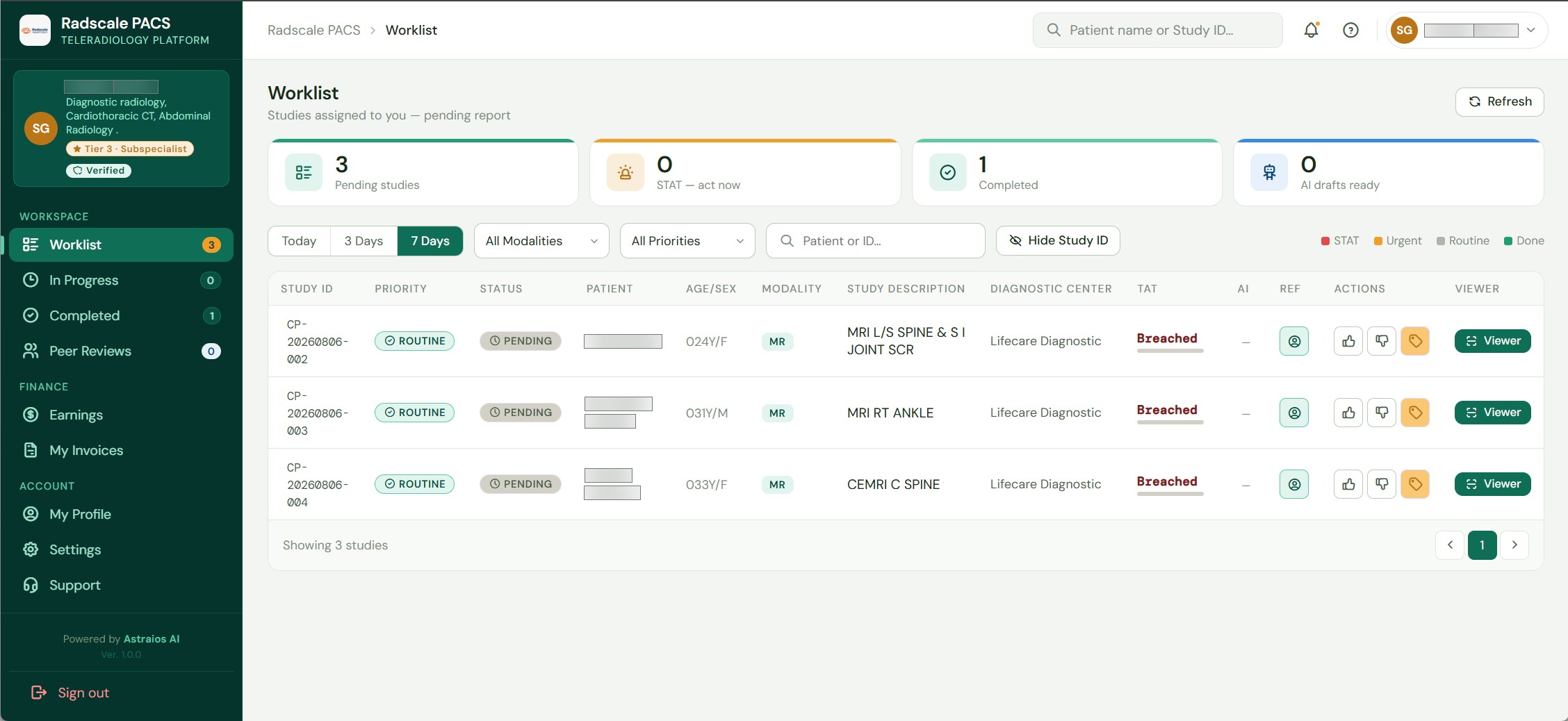 The Worklist, showing studies pending your review.
Filtering
Use the filter bar above the table to narrow by:
- Date range
- Modality
- Priority
- Search (patient name or study ID)
Referring doctor details
Click the Ref icon on any row to open the referring doctor's name, contact number, and the referral image — without leaving the list.
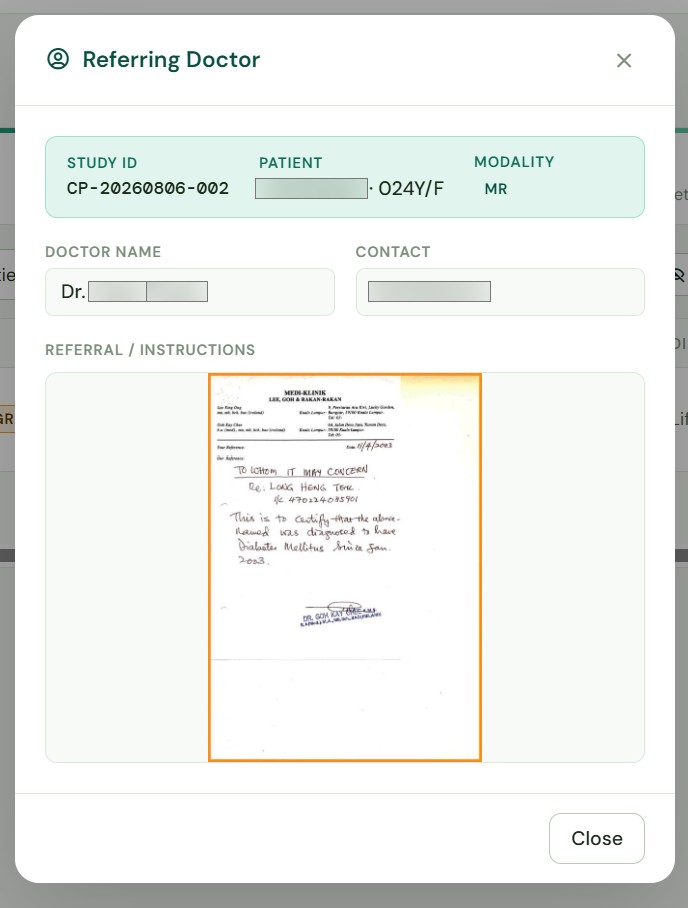 Referring doctor details and referral image, opened from the Ref column.