Delegate and consult
Once you've accepted a study, two options let you involve another radiologist.
Delegate
Handing the study entirely to a colleague — it leaves your worklist.
- Open the study's action menu and choose Delegate.
- Select the colleague to hand it to.
- Optionally provide a reason.
- Confirm.
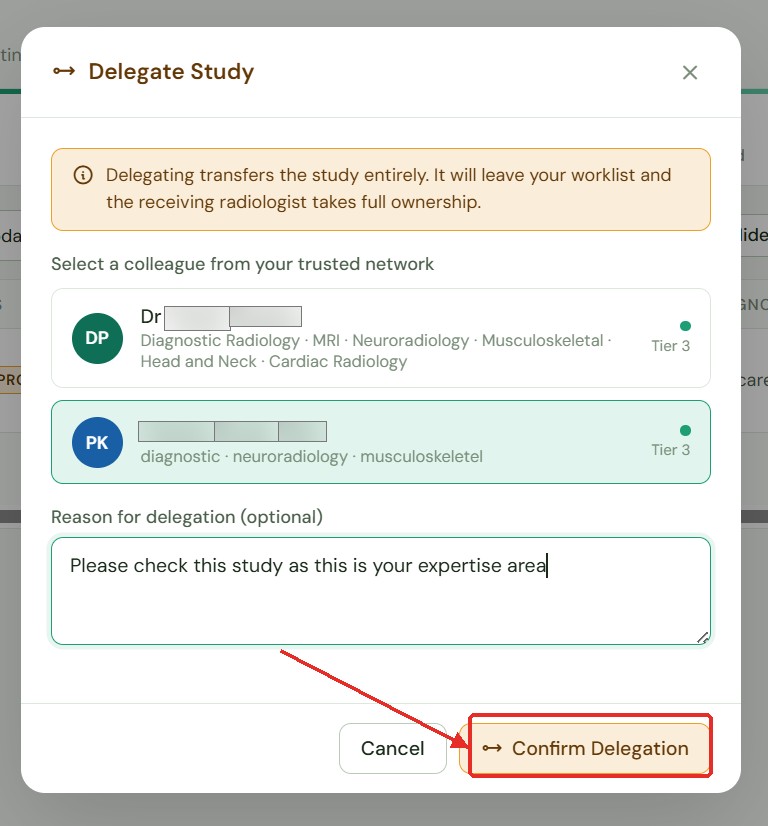 Delegating a study — it leaves your worklist completely.
note
Once delegated, the study is no longer on your worklist. You cannot retrieve it yourself — contact your Administrator if needed.
Consult (request a second opinion)
Keeps the study on your worklist while asking a colleague for input.
- Open the study's action menu and choose Consult.
- Select the colleague.
- Enter a clinical question describing what you'd like their opinion on. This is required.
- Confirm.
The request appears on their Peer Reviews screen. Their written response — along with up to three supporting images — is returned to you.
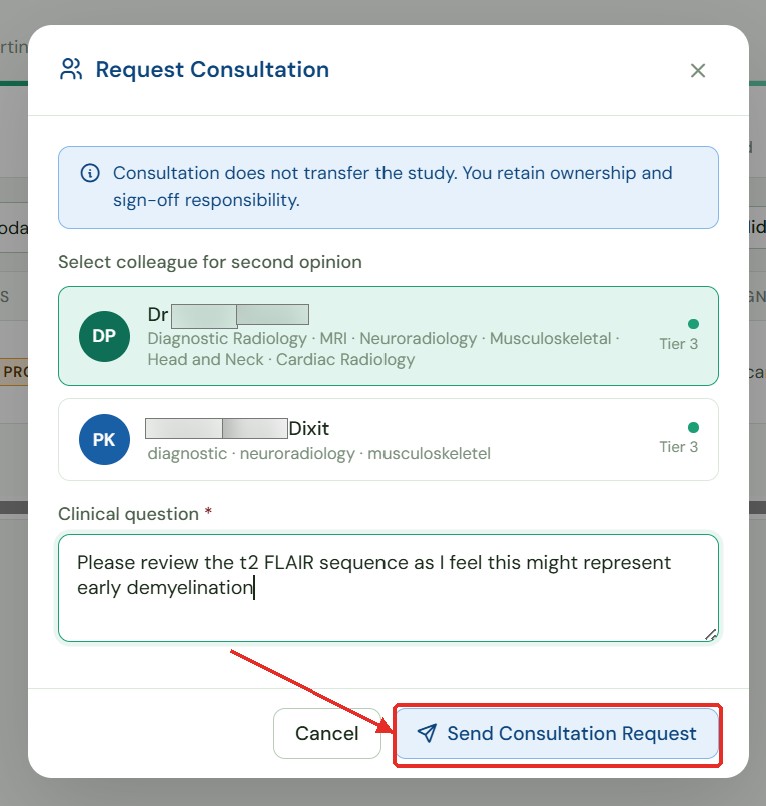 Requesting a peer consultation — the study stays on your worklist.