Accepting or rejecting a study
A newly allocated study on your Worklist shows two buttons: Accept and Reject.
 A newly allocated study shows Accept and Reject.
Accepting
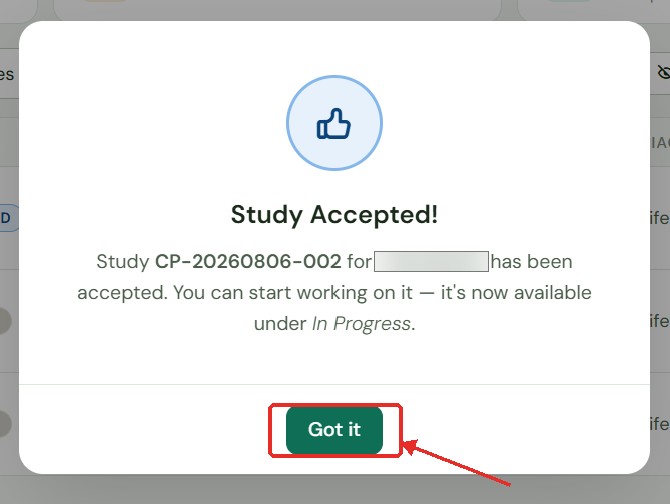
Click Accept. This confirms you'll read the study and starts its turnaround-time (TAT) countdown.
 Confirmation shown after accepting. The study now shows Accepted on your Worklist.
The countdown clock starts the moment you accept — not when the study was uploaded. Accept only when you are ready to begin reviewing.
Rejecting
-
Click Reject.
-
A prompt asks for a reason. This is optional — you may leave it blank.
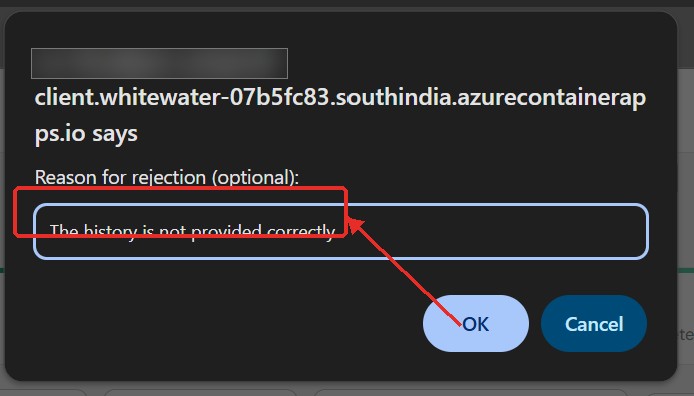 Optionally provide a reason when rejecting a study.
 -
Click Confirm.
The study returns to your Administrator to be reassigned — either back to you once the issue is resolved, or to another radiologist. Your Administrator can see any reason you provided.